Context
At my part-time job, Sharks Ice San Jose, workforce management still relies on a legacy portal called ABI MasterMind. One downside of this is the lack of native integration with any modern productivity tool.
For my coworkers and I, this creates a significant hurdle: manually inputting variable work schedules into our personal calendars. Not only is it time-consuming, negligence leads to missed shifts and scheduling conflicts.
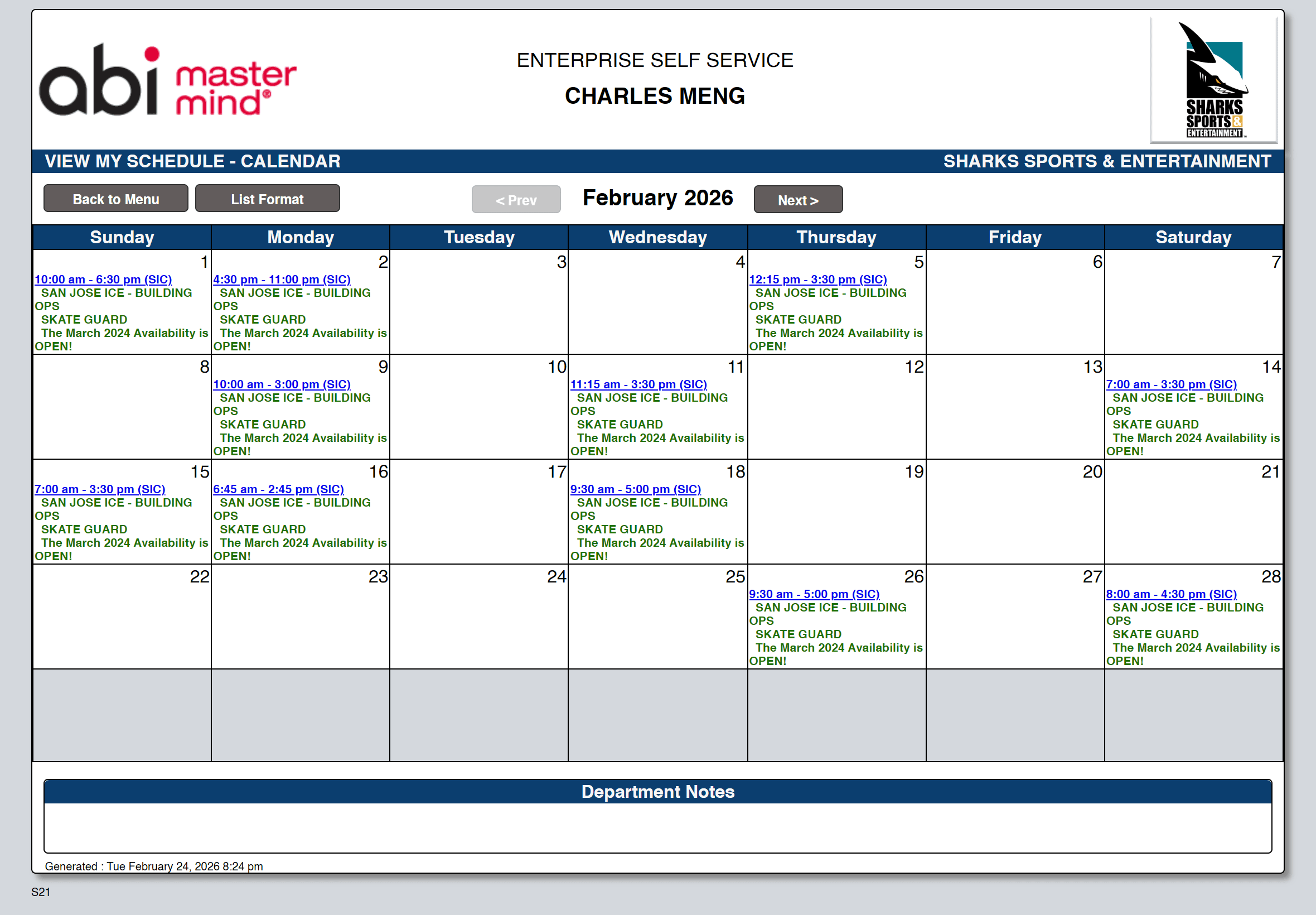
How ABI currently displays an employee's shift schedule
The Approach
Bridge the gap between ABI MasterMind and a modern productivity ecosystem (Google Calendar). The solution required a "headless" automation layer to extract data and a secure, multi-user frontend to handle authentication and trigger the synchronization process.
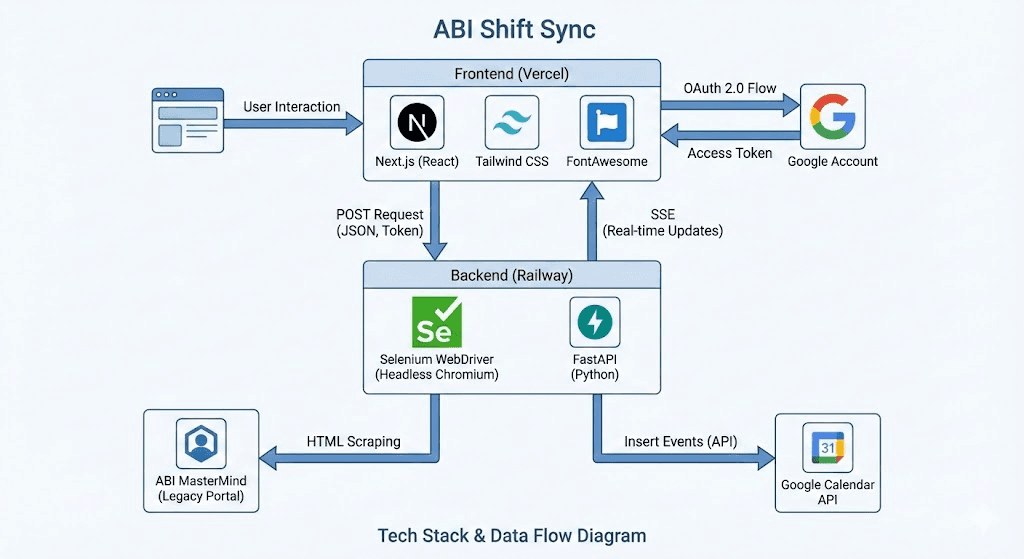
Data Flow: An interface that scrapes shift details and pushes details to user's GCal.
Implementation and Development
Automation Engine
I first built a scraping utility using Selenium to navigate the ABI portal, handle session authentication, and parse DOM elements into structured JSON shift data.
Stateless Backend
Then, a FastAPI service was developed to process sync requests. In order to support multiple users simultaneously, I implemented Server-Sent Events (SSE) to stream real-time status updates (e.g., "Logging in...", "Shifts Found...") back to the client.
Secure Authentication
Finally, I Integrated Google OAuth 2.0 to generate temporary, user-specific access tokens. This ensured the app never stored sensitive user credentials and only interacted with the user’s calendar with explicit permission.
Challenges and Solutions
Bottleneck: Sequential DOM Iteration
The initial prototype utilized a sequential scraping logic. The script would iterate through each day-box on the calendar grid one by one, executing multiple Selenium find_element commands for each day (30+ iterations).
Each command required a separate round-trip between the backend and the Chrome driver. This brute-force method resulted in runtimes exceeding 180 seconds for a single month.
Solution
The data extraction layer was refactored from a Python-driven loop to a Single-Script Injection model. A localized JavaScript utility was injected into the browser via execute_script. This script parses the entire calendar DOM in a single pass, converting the schedule into a structured JSON array within the browser's own engine.
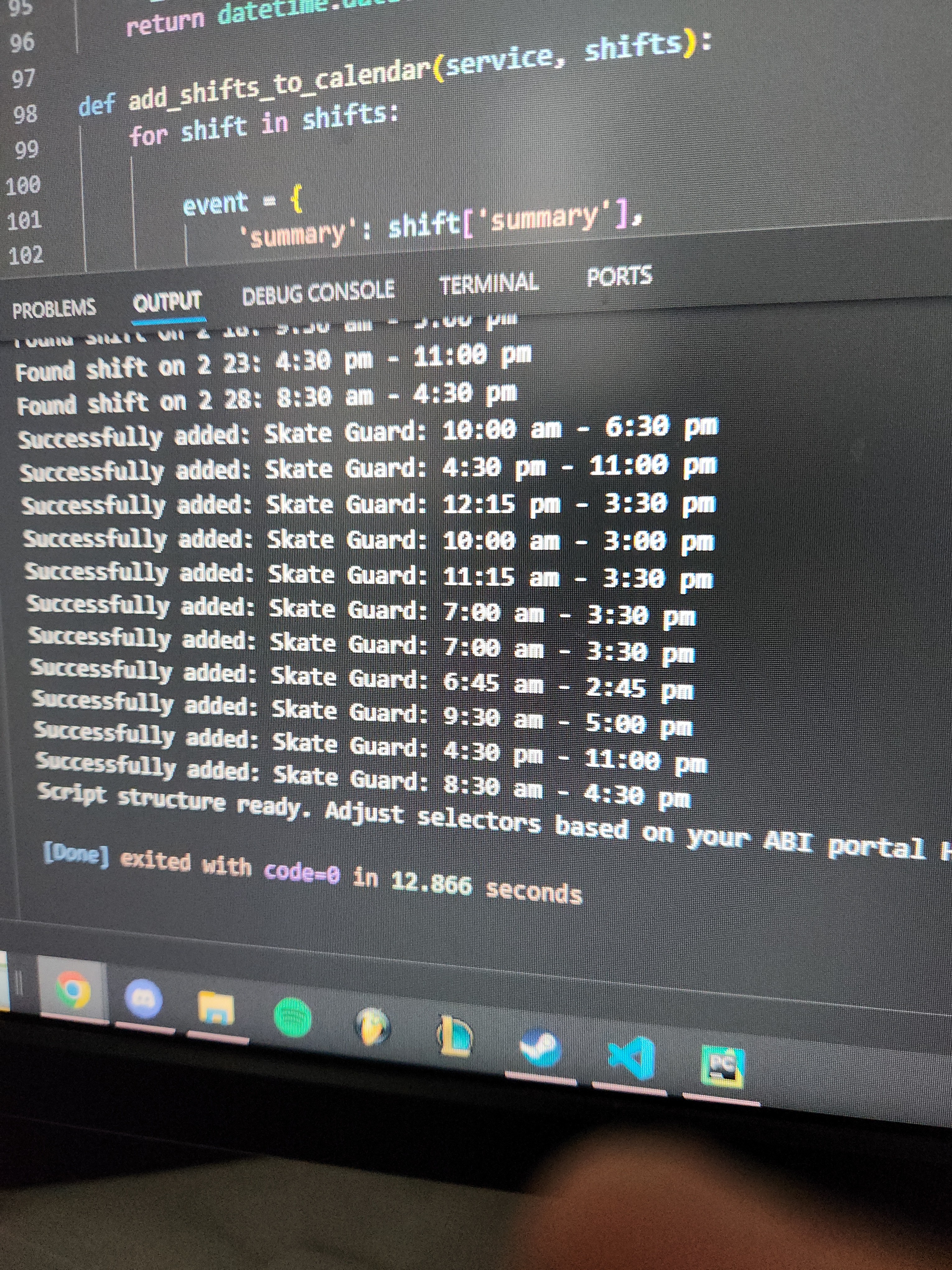
So happy I sent a picture to my coworker
This transition from O(n) Selenium operations to a single O(1) batch call reduced the data extraction time from minutes to mere seconds. Total end-to-end sync time dropped by over 90%, ensuring the process stays well within the timeout limits of cloud hosting environments.
Security and Scalability
The original prototype used a single static token, so all shifts were added to one person's calendar (mine).
This was refactored to a Token-on-Demand model. The backend was updated to accept a dynamic access_token from the frontend, thus allowing any of my coworkers to sync their shifts to their own private account securely.